


SNOW - AI Profile
3.78.10K Reviews
App Specs
- Version
- Varies with Device
- Updated On
- License
- Free
- Downloads
- 100,000,000+
- Developer
- SNOW Corporation
- Categories
- Photography
- Platform
- Android, iOS
Screenshots
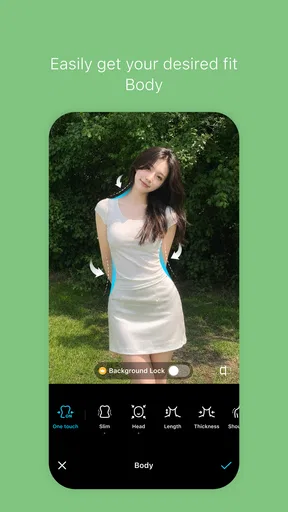
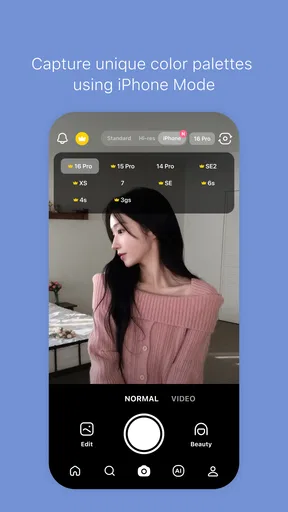
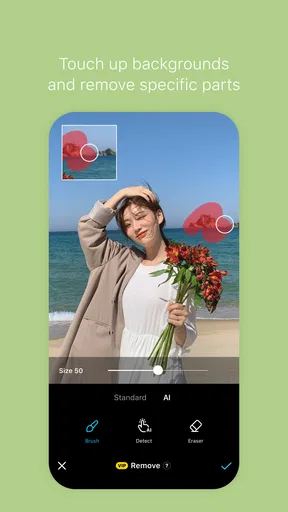
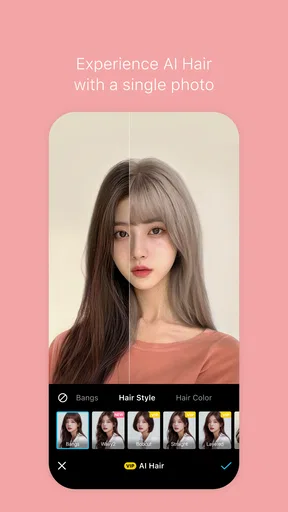
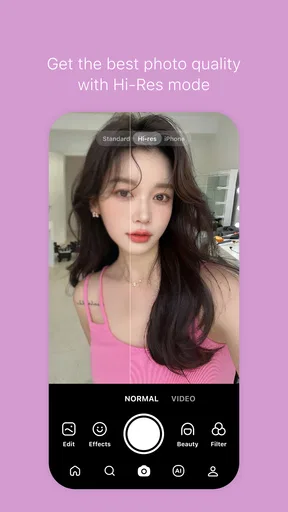
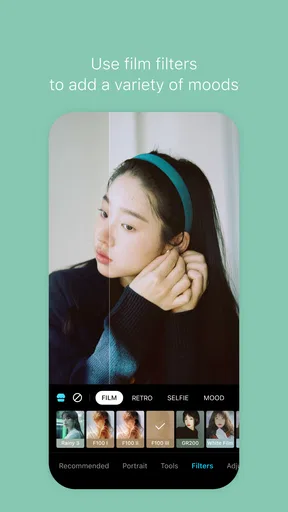
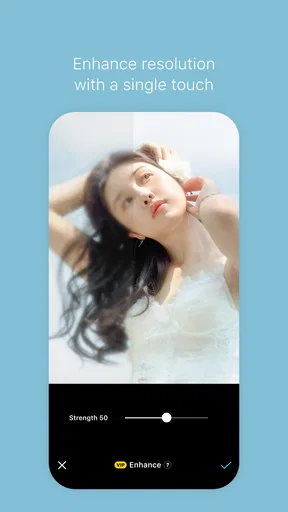
 Analysis by AppCompare
I tend to enjoy AI portrait apps most when they give me a quick creative option, not another daily task to keep up with. SNOW - AI Profile makes its strongest impression in that first burst of experimentation: I can imagine trying a few different looks, choosing one that feels like me, and using it to refresh a profile or share a playful variation. The real question is whether that small moment of fun earns a lasting place on my phone, and that depends on how often I want a stylized portrait rather than a straightforward photo.
The first-week appeal: a quick change of mood
For a first try, the appeal is easy to understand. I start with a selfie or an existing picture, then explore the transformations rather than spending time learning a complicated editing workflow. That makes the app approachable when I have a few spare minutes and want to see how a familiar face might look in a more imaginative style. The result is less about correcting a photograph and more about trying on a visual mood.
A useful way to approach the first session is to choose a clear, front-facing photo with an expression I actually like. If I begin with a blurry image, a strong shadow, or an awkward crop, the effect has less to work with; changing styles cannot fix every weakness in the original. I would also compare several results before settling on one. The first output may be eye-catching, but a later option can feel more recognizably like me and work better at the small size of a profile image.
SNOW is a photography app from SNOW Corporation. It is free to install, rated for Everyone, and has an average rating of 3.8 from around 1.5 million ratings, with over 100 million installs. It has been available since November 2015, and optional in-app purchases range from $0.99 to $69.99 per item. Those figures suggest a widely used product, but they do not tell me whether a particular style will suit my taste; the best test is still trying a few portraits with a photo I would genuinely consider using.
Making AI portraits useful beyond the novelty
The main distinction I keep in mind is that an AI-styled portrait serves a different purpose from a conventional camera filter. A standard photo editor is usually the better choice when I want careful control over exposure, color, blemishes, or a natural-looking headshot. Here, the point is the transformation itself: the picture becomes more expressive and deliberately less ordinary. That makes it a better fit for a casual social profile, a chat avatar, or a creative post than for a situation where I need an accurate, professional representation.
Getting started without overthinking the source photo
First things first, getting started is a breeze. Download the app from either the App Store or Google Play Store, and you’re good to go. Once you open it up, you’ll find a super friendly interface that makes navigating through the features a walk in the park. Just snap a selfie or choose an existing photo, and the magic begins.
What I love is how intuitive everything is. The app guides you through the process, and before you know it, you’re looking at a digital artwork that feels both familiar and fantastical. The AI does a stellar job capturing the nuances of your expression while adding an artistic flair that’s uniquely you.
Worth Reading Before You Choose

Switching to Android Auto Means Rethinking Your Driving Routine

Google Calendar Makes a Crowded Week Easier to Manage

Baby Panda World Brings Quick Play to Modern Phones, but Its Game Library Feels Busy

ESPN’s Live Game View Makes Following Close Games Easier

QuizzLand Review: A Good Fit for Short Trivia Breaks, Not Every Player

Basketball Stars: Multiplayer Is Fast, but Can It Recover When Matches Go Wrong?
For a more useful comparison, I would keep one unedited photo beside the transformed result while deciding. At thumbnail size, a highly detailed treatment can lose the expression that made the original appealing; a simpler-looking version may read more clearly in a small circle. If I am choosing an image for a public profile, I would also check that it still looks like me to someone who knows me. For a joke, themed post, or private avatar, resemblance matters less and the bolder result may be the more enjoyable choice.
Styles are strongest when they match the job
Okay, let’s talk features. One of the coolest aspects of SNOW - AI Profile is the variety of styles you can choose from. Whether you’re in the mood for something vintage, futuristic, or even anime-inspired, this app has got you covered. Each style transforms your image in a distinct way, keeping things fresh every time you use it.
Another neat feature is the ability to tweak the intensity of the effects. You’re not just stuck with a one-size-fits-all filter. Instead, you can adjust how much of the AI magic you want to sprinkle onto your photo. It’s all about finding that perfect balance that makes your image pop.
That intensity control is more valuable than it first sounds. When the effect feels too strong, lowering it can preserve more of the original expression and make the result easier to use as an everyday avatar. I would treat it as a finishing adjustment rather than assuming the most dramatic setting is automatically the best. A practical workflow is to pick the style first, compare the strength at a lighter and a bolder level, then save only the version I would actually use. This avoids accumulating a folder of near-identical experiments.
A realistic use: a small profile refresh
Picture a familiar situation: I am about to update a messaging profile before a group trip, but I do not want to stage a new photo or spend an evening retouching one. I can choose a recent selfie, try a few treatments, and save a version that feels lively without making the face unrecognizable. The result gives the profile a fresh look with little effort. If I later need a serious work photo, I would switch back to a natural portrait rather than trying to make an artistic transformation do a job it was not designed for.
This is also where the app can be a useful occasional tool rather than a permanent creative routine. I might revisit it before a birthday, a seasonal change, or a new social account, then leave it alone until I have a reason to make another image. That pattern suits the central appeal: quick visual experimentation. It is not necessary to invent a reason to open it every day for the experience to be worthwhile.
Sharing is convenient, but choose the destination
Once you’ve created your AI masterpiece, sharing it is a piece of cake. The app links directly to your social media accounts, so posting your new profile picture is just a tap away. Plus, there’s an option to save it in high resolution, perfect for printing or keeping in a personal collection.
Whether you’re sharing your new look on Instagram or updating your LinkedIn profile, SNOW - AI Profile makes it simple to show off your revamped digital persona. Trust me, your friends will be asking how you pulled off such a killer pic.
Even with easy sharing, I would save the image first and look at it outside the editing flow before posting. A portrait can seem exciting while I am comparing effects, then feel too stylized once it sits beside ordinary photos. Saving before sharing gives me a moment to check the crop, the expression, and whether the result fits the account I have in mind. The high-resolution saving option is useful for keeping a copy, but I would still judge each image for its actual destination rather than assuming every effect suits every platform.
There is also a simple privacy-minded habit worth keeping: choose the photo deliberately and share the finished image only where I am comfortable using it. A profile picture can be more public and persistent than a playful image sent to friends. I would avoid treating an AI portrait as an anonymous disguise or as a substitute for thinking about the audience. The creative tool can make a picture feel different, but the choice of where it goes remains mine.
Who gets recurring value, and who may not
If you’re someone who loves experimenting with their digital identity, this app is a goldmine. It’s not just about a pretty picture; it’s about expressing yourself in a way that’s both creative and personal. Plus, the AI technology behind it is pretty impressive, ensuring that your images are not only unique but also high quality.
And hey, it’s not just for the social media savvy. Even if you’re not a selfie pro, SNOW - AI Profile makes it easy to create something that looks professional and polished. It’s like having a team of designers at your fingertips, ready to turn your photos into stunning visuals.
I think it is best for people who enjoy playful portraits, like having options for an avatar, or want a low-effort way to make a familiar selfie feel new. Someone who regularly changes social profiles may find more reason to return than someone who rarely updates a picture. By contrast, I would skip it if I mainly want precise manual retouching, a faithful business headshot, or a dependable archive of carefully edited photographs. A conventional photo editor gives more direct control for those jobs, while the phone’s camera and built-in editing tools are often enough when all I need is a clean, natural image.
The recurring value also depends on whether the available styles continue to feel fun after the initial comparisons. Trying multiple looks can be entertaining, but if I only want one realistic portrait, that exploration may feel like an unnecessary detour. Optional purchases are another reason to decide what I need before spending: I would first see how far the free experience takes me and only consider a purchase if a specific option is worth it to me. The listed range is broad, so I would check the price shown for an individual item rather than assume every extra costs the same.
Maintenance and the points where novelty fades
There is little reason to make this a high-maintenance app in my routine. I can use it when I have a picture to transform, save a result, and return when a new occasion gives me a reason. The main upkeep is personal rather than technical: keeping track of which version I chose, clearing out experiments I no longer want, and deciding whether an older stylized image still represents me. That lightweight approach is a better fit than turning every new selfie into a project.
The most likely source of fatigue is repetition. A set of striking transformations can make the first session feel full of possibilities, but those options may become less compelling once I have found a favorite. Another friction point is the gap between an artistic result and a useful profile image: a portrait can look impressive on its own yet be too busy, too altered, or simply not right for the account where I planned to use it. I would judge success by whether I actually keep or share the result, not by how many variations I can generate.
It is also worth separating “polished” from “professional.” A stylized AI portrait may look finished, but that does not automatically make it appropriate for a work profile, an application, or any place where a current, realistic likeness matters. For those situations, a clear photo with natural lighting is usually the safer choice. SNOW is more rewarding when I let it be creative rather than asking it to replace every other kind of portrait tool.
My long-term verdict
All in all, SNOW - AI Profile is a delightfully fun and creative app that’s worth checking out. Whether you’re looking to spice up your social media presence or simply want to play around with different styles, this app offers something for everyone. It’s an exciting way to explore the intersection of technology and art, and who knows? You might just discover a new favorite look.
So, if you’re ready to embark on a digital makeover adventure, give SNOW - AI Profile a try. Transform your selfies into works of art and let your creativity run wild!
My lasting recommendation is modest but positive: try it when you have a specific portrait in mind, take time to compare the effect strength, and keep only the version that works outside the app. Its strongest role is as an occasional creative companion, not a replacement for a camera, a detailed editor, or a natural headshot. If that distinction matches what you want, the easy experimentation can earn it a place to return to whenever an ordinary selfie needs a more imaginative twist.
Pros
- User-friendly interface with intuitive navigation.
- Wide variety of filters and effects available.
- AI enhances photo quality effectively.
- Quick and seamless photo sharing options.
- Regular updates with new features.
Cons
- Can consume significant battery life quickly.
- Occasional glitches in AI feature application.
- Requires stable internet for optimal performance.
- Limited free filter options; many require purchase.
- Some ads can be intrusive during use.
FAQs for SNOW - AI Profile
What is SNOW - AI Profile and how does it work?
SNOW - AI Profile is an innovative app that uses artificial intelligence to create stunning profile pictures. The app leverages advanced AI algorithms to analyze your facial features and generate high-quality images. Users can either take new photos or upload existing ones, and the AI does the rest, providing a range of styles and effects to enhance your profile.
Is SNOW - AI Profile free to use, or are there in-app purchases?
SNOW - AI Profile offers a free basic version with a variety of features. However, to access premium styles and advanced editing tools, users may need to make in-app purchases or subscribe to a premium plan. It's a great way to explore the app before deciding on any additional purchases.
What are the minimum device requirements for SNOW - AI Profile?
The app is designed to work on both Android and iOS devices. For Android, it typically requires version 6.0 or higher, while iOS users should have iOS 11.0 or later. It's important to check the compatibility with your device to ensure smooth performance and access to all features.
How secure is my data when using SNOW - AI Profile?
SNOW - AI Profile prioritizes user privacy and data security. The app uses encryption to protect your data and complies with standard privacy regulations. Photos used in the app are not stored or shared without your consent, ensuring that your personal information remains safe.
Can I share my AI-generated profile pictures on social media?
Yes, SNOW - AI Profile makes it easy to share your creations directly to social media platforms. The app includes built-in sharing options for popular platforms like Instagram, Facebook, and Twitter, allowing you to showcase your new profile pictures with just a few taps.


